EH DESIGNSoftware & Business Solutions

Work

Law Office ERP

Legal practice management platform for cases, clients, hearings, tasks, documents, billing and payments — with per-case authorization and audit trails.

Legal Practice ManagementWebDevelopment / UAT preparation

Overview

  • The case is the central record: clients, parties, hearings, tasks, documents and billable activity attach to it.
  • Visibility follows assignment and is checked on the server for every operation.
  • Every write produces an audit record; confidential document reads are logged as well.
  • In development and preparing for user acceptance testing — no client identity or commercial results are disclosed.

Business context

Law offices accumulate case files, hearing calendars, task lists, document folders and billing records that rarely stay synchronized. Confidentiality requirements make informal shared drives especially risky.

Problem

Staff could not answer who owns a case step, which hearing is next, which documents are current or what has been billed without checking multiple disconnected tools — and access control was often only folder-deep.

Intended users

  • Managing partners reviewing caseload and billing
  • Lawyers working assigned cases and hearings
  • Paralegals and assistants managing tasks and documents
  • Office administrators handling clients, users and payments

Core capabilities

Case workspace

One place for parties, status, hearings, tasks and related documents with assignment-aware visibility.

Hearing and task control

Upcoming hearings and open tasks stay attached to the case so follow-through is visible to authorized staff.

Billing linkage

Billable entries and payments connect to case records so receivables can be reviewed without a parallel spreadsheet.

Main modules

  • Clients and parties
  • Cases and matters
  • Hearings
  • Tasks
  • Documents
  • Billing and payments

Technology stack

ASP.NET Core 8 · Next.js · SQL Server · Clean Architecture
Architecture summary

  • ASP.NET Core 8 Clean Architecture with Domain, Application, Infrastructure and API layers
  • SQL Server persistence with soft delete and audit fields on business entities
  • Next.js App Router frontend organized by practice features
  • Server-side authorization policies for case assignment and roles
  • Structured logging with correlation identifiers

Security considerations

  • JWT authentication with role and permission checks
  • Per-case authorization enforced on the API
  • Audit trail for writes and confidential document access
  • Soft delete for business entities
  • No secrets embedded in client bundles

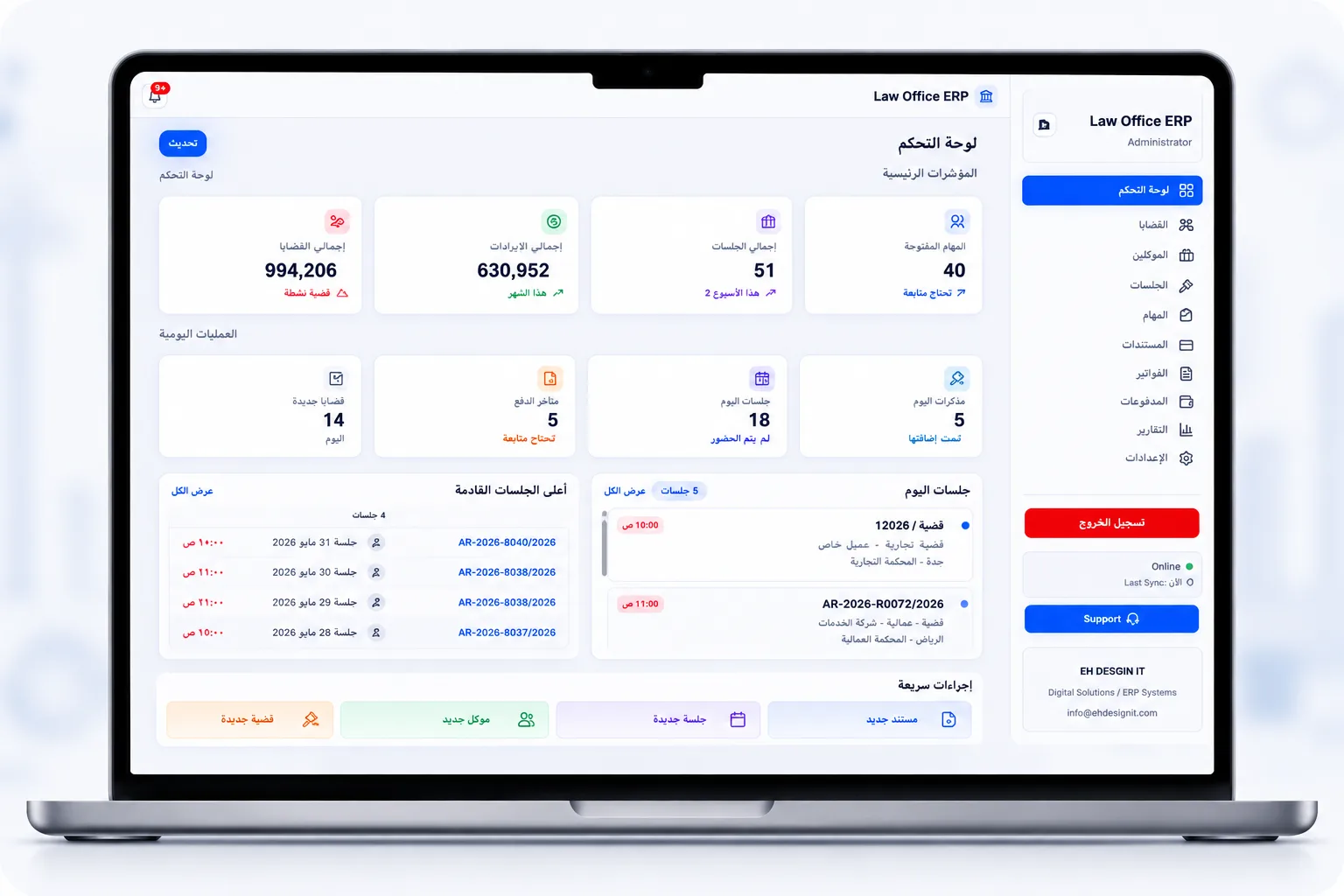
Interface gallery

Law Office ERP — Legal Practice Management
Screenshot from the EH DESIGN product interface. Sample data only — no client or production information.

Current phase

Law Office ERP is an EH DESIGN product initiative preparing for user acceptance testing. Core case, hearing, task, document and billing modules are implemented. No client identity or commercial results are disclosed.

Scope boundaries

  • Not a court e-filing or litigation e-discovery platform
  • Statutory accounting and payroll are out of scope unless separately agreed
  • No client names or matter outcomes are disclosed publicly
  • Preparing for UAT — not presented as a finished commercial deployment

Remaining work

  • UAT script finalization with acceptance criteria
  • Document access edge-case hardening
  • Operator training materials
  • Staging environment readiness checklist

Main workflows

Open a case

Register client and parties, create the case, assign responsible staff and set initial status.

Plan hearings and tasks

Schedule hearings, create follow-up tasks and keep both visible on the case timeline for authorized users.

Manage documents

Attach document metadata with access checks so only permitted roles can view or update confidential files.

Bill and collect

Record billable activity against the case, issue payment entries and review outstanding balances.

Technical decisions

Case as aggregate root

Hearings, tasks, documents and billing attach to the case so confidentiality and reporting have one natural boundary.

Authorization on the server

UI filtering is never trusted. Every read and write checks assignment and permission policies.

Audit by default

Practice systems need reconstructable history. Writes always create audit entries; confidential reads are logged too.

Clean Architecture boundaries

Domain rules stay free of EF Core and framework details so authorization and billing logic remain testable.
Testing approach

  • Unit tests for case authorization and billing attachment rules
  • Integration tests for hearing, task and document flows
  • Permission denial scenarios for unassigned staff
  • Audit record assertions on write operations
  • Manual UAT scripts covering intake to collection

Related work

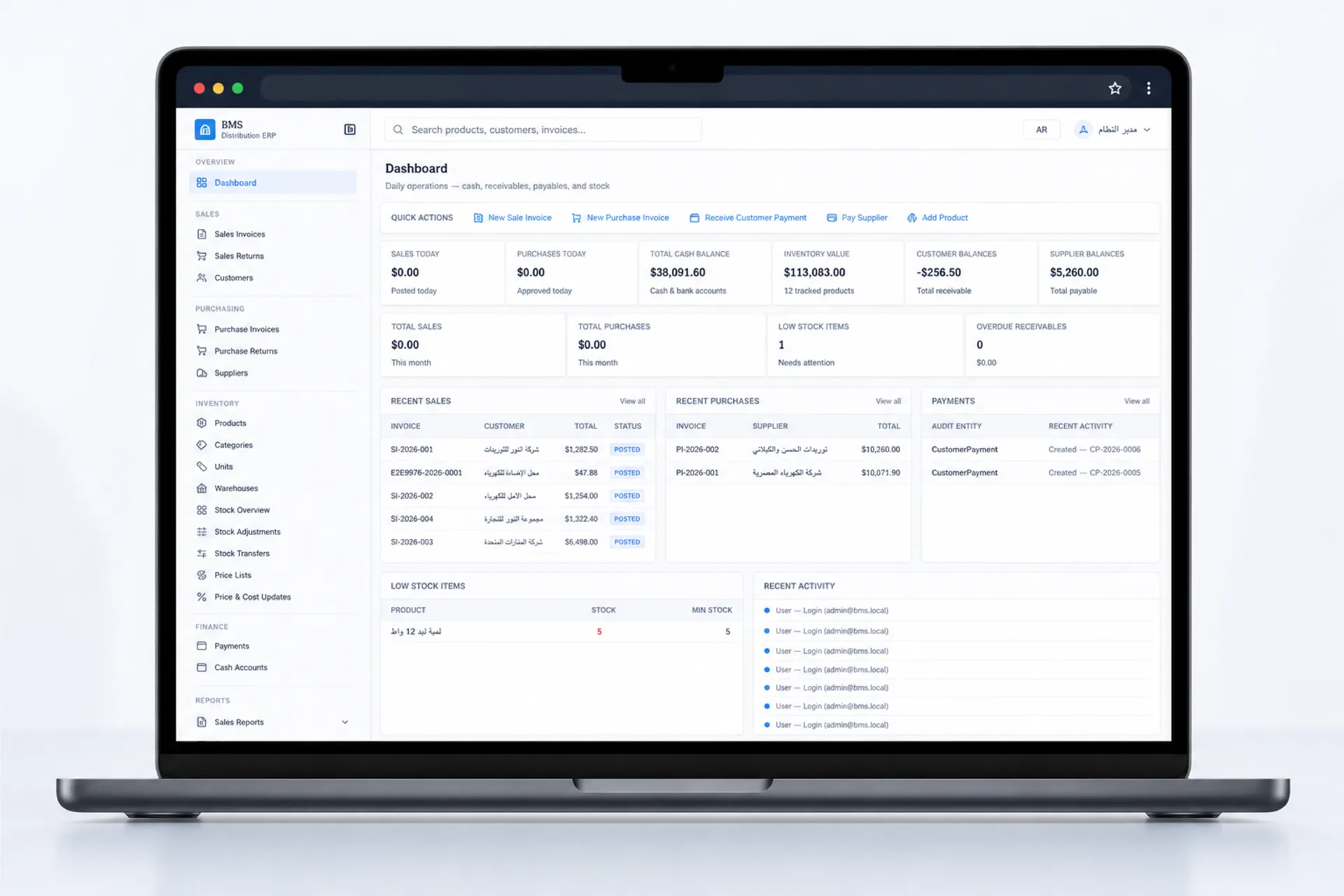
BMS Distribution ERP — Web ERP for Distribution
Web ERP for DistributionWebLate beta

BMS Distribution ERP

Modern web ERP for distributors and wholesalers — multi-warehouse inventory, sales, purchasing, payments and reporting. Late Beta v1.0.

  • Multi-warehouse web inventory
  • Sales and purchasing document flows
  • Payments tied to party balances

Technology: ASP.NET Core 8 · Next.js 15 · SQL Server · Docker
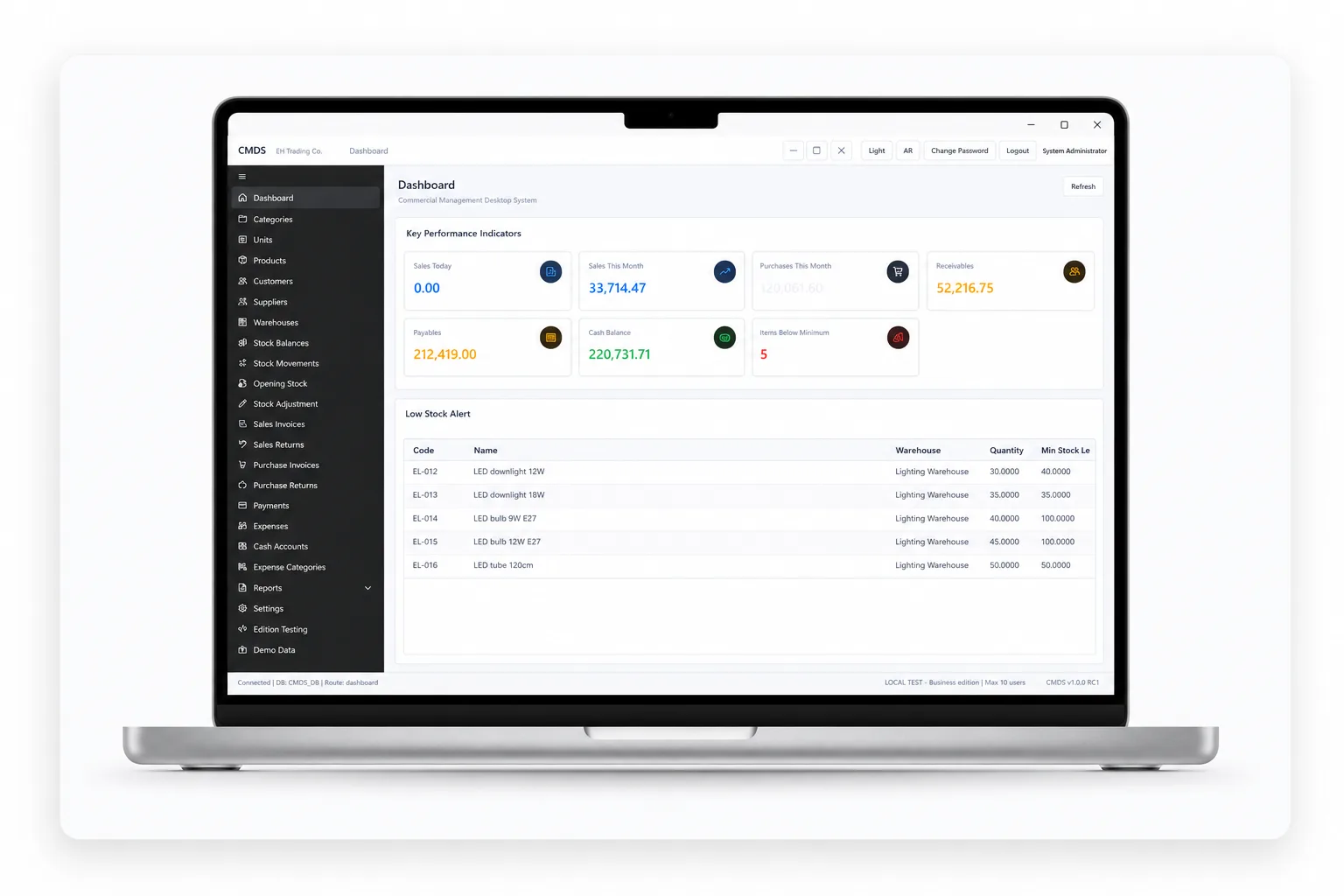
CMDS — Commercial Desktop ERP
Commercial Desktop ERPWindows desktopRelease candidate

CMDS

Offline-first Windows desktop ERP for trading counters and branches — inventory, sales, purchasing, payments, expenses and reporting. Release Candidate v1.0.0.

  • Offline-first Windows counter operations
  • Sales, stock and treasury in one local record
  • Role-gated discounts and adjustments

Technology: .NET 8 · WPF · SQL Server · EF Core

Let’s Build a Better Business System.

Tell us about your workflow, operational challenge or product idea. We will review the requirements and discuss a practical next step.