EH DESIGNSoftware & Business Solutions

Products

CMDS

Offline-first Windows desktop ERP for distribution and retail counters.

Commercial Desktop ERPRelease candidate

Product overview

  • Built for counter and branch staff who cannot depend on continuous internet access.
  • Connects sales documents, stock movement and payment records in one local system of record.
  • Designed as a product foundation that can sync with a central database when online.
  • Release candidate v1.0.0 — feature-complete for its target workflows and under active hardening, not a claim of universal production deployment.

Intended users

  • Distributors with branch or counter sales teams
  • Retail shops needing fast document entry
  • Owners who want auditable stock and cash visibility
  • IT staff managing SQL Server on premises or hosted

Business problems addressed

Connectivity interruptions

Web-only ERP forces staff to stop selling when the network drops.

Untrusted stock numbers

Balances in spreadsheets diverge from what the warehouse can actually dispatch.

Slow end-of-day reconciliation

Payments and returns are reconstructed manually after the shift.

Core capabilities

  1. Sales and returns documents

    Quotations, invoices and returns with immediate stock impact.

  2. Multi-warehouse inventory

    Receipts, transfers and adjustments with movement history.

  3. Treasury recording

    Customer and supplier payments linked to open balances.
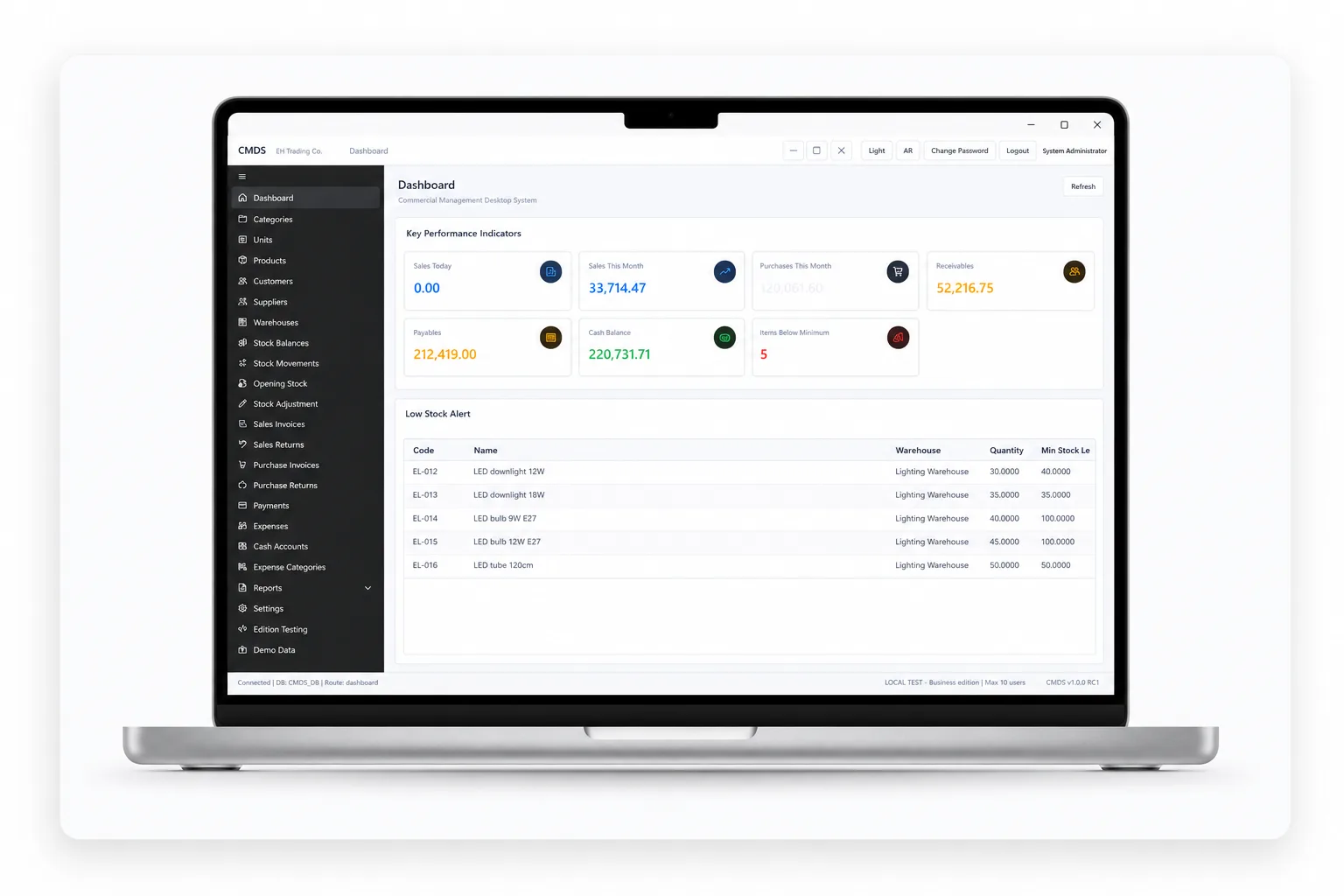
Main modules

  • Product catalog and units
  • Customer and supplier registry
  • Sales and purchase documents
  • Warehouse movement
  • Payments and balance views
  • Operational reports

Technology stack

  • .NET 8
  • WPF
  • SQL Server
  • EF Core

Architecture summary

  • WPF desktop client with local SQL Server or Express database
  • Repository and service layers separating UI from data access
  • Parameterized queries throughout — no string-concatenated SQL
  • Optional sync service for central consolidation when scoped

Security and data considerations

  • Role-based login with permission checks on actions
  • Audit fields on critical document changes
  • Local database access restricted to application service account
  • No secrets embedded in client binaries

Product interface gallery

CMDS — Counter sales workspace

Counter sales workspace

Fast invoice entry with stock availability and customer balance context.

Screenshot from the EH DESIGN product interface. Sample data only — no client or production information.

Deployment model

On-premises or hosted SQL deployment

CMDS is intended for Windows environments where the business controls database hosting. Installation, backup and update procedures are documented for the operations team.

  • Per-branch or per-counter installation models
  • Documented backup expectations for local databases
  • Versioned release packages with migration scripts

Known scope boundaries

  • Not a full statutory accounting suite unless separately scoped
  • No implied multi-country tax compliance out of the box
  • Mobile and web portals are separate product paths
  • Third-party ERP resale is outside CMDS scope

Frequently asked questions

No. CMDS is designed for offline-first counter and branch use. Sync to a central server is optional and scoped per deployment.

Related work

CMDS — Commercial Desktop ERP
Commercial Desktop ERPWindows desktopRelease candidate

CMDS

Offline-first Windows desktop ERP for trading counters and branches — inventory, sales, purchasing, payments, expenses and reporting. Release Candidate v1.0.0.

  • Offline-first Windows counter operations
  • Sales, stock and treasury in one local record
  • Role-gated discounts and adjustments

Technology: .NET 8 · WPF · SQL Server · EF Core

Let’s Build a Better Business System.

Tell us about your workflow, operational challenge or product idea. We will review the requirements and discuss a practical next step.